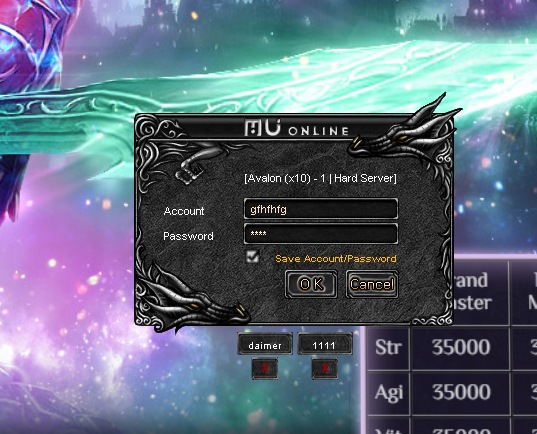
When you log in to the server, you will see a window like this.
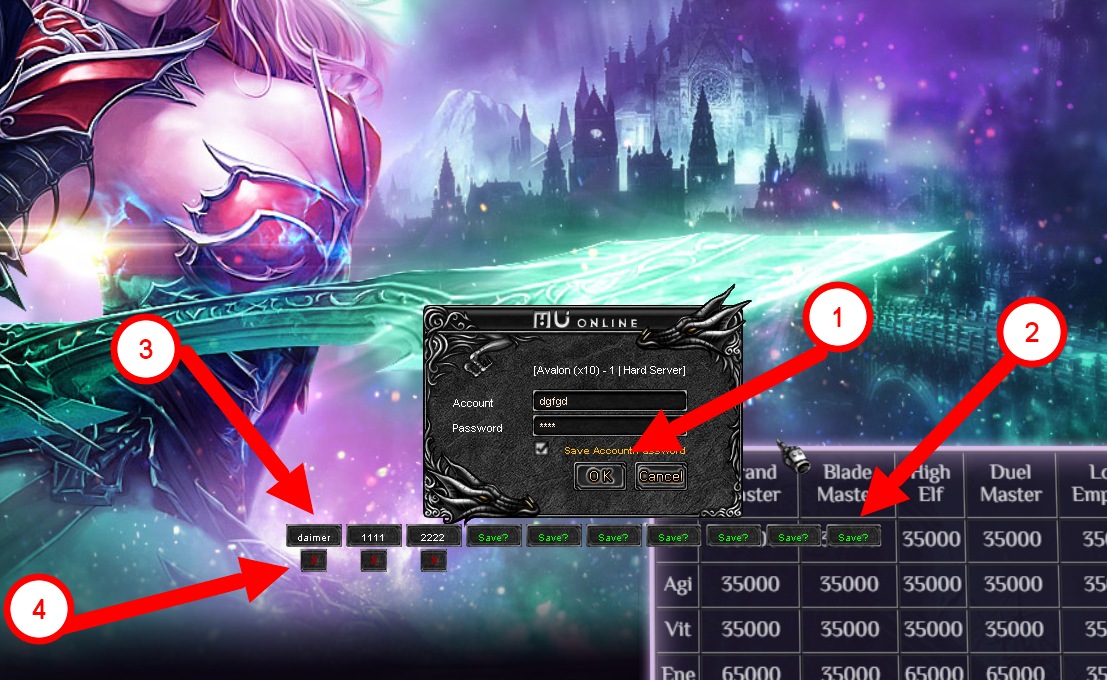
Where:
1) Log in to your account using the standard method
2) Save your account
3) Log in to your saved account
4) Delete your saved account
You can also change the number of slots used from 1 to 10.
To do this, find and open the xAccounts.ini file in the game folder and change the Amount value.
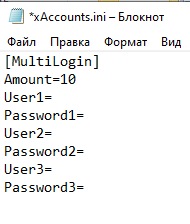
For example, by changing it to the number "2" you will get this